


Tech Update, November 2026: notes from the Digital Hub
Wednesday, 25 November 2026
This is a quick write-up of this evening’s event. I’ll continue to work on, polish, and update this article as I have more time, but I wanted to share my thoughts and reflections whilst they’re still fresh, following another fantastic evening hosting and speaking at Yeovil Digital Hub.
Photos, screenshots, videos, useful links, and an updated podcast will follow.
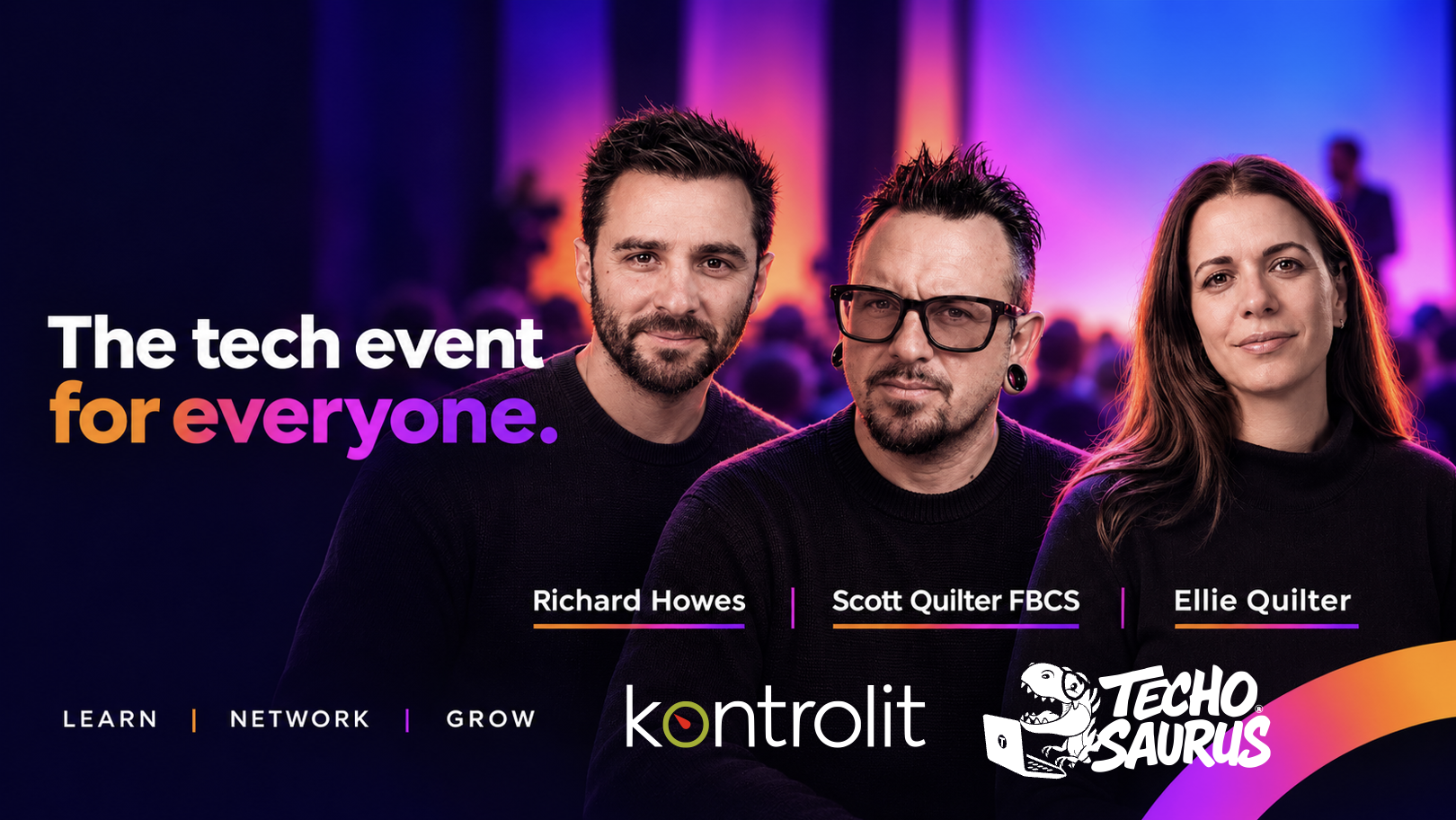
Tonight was our final Digital Hub of 2026 at Lanes Hotel, and I think we managed to finish the year with a really interesting mix: some technology, some serious conversations about our dependence on it, a chat with a person who doesn’t exist, and a slightly questionable story involving a rocket scientist and the occult.
And there was an awful lot of chocolate.
It’s always lovely seeing familiar faces at the Digital Hub, but there were loads of new faces in the room tonight as well. We’ve spent the last few years building a community around technology where people can come along, ask questions, and see what’s possible without needing to understand everything going on under the bonnet. Given the rate at which things are changing, I think that matters more every year.
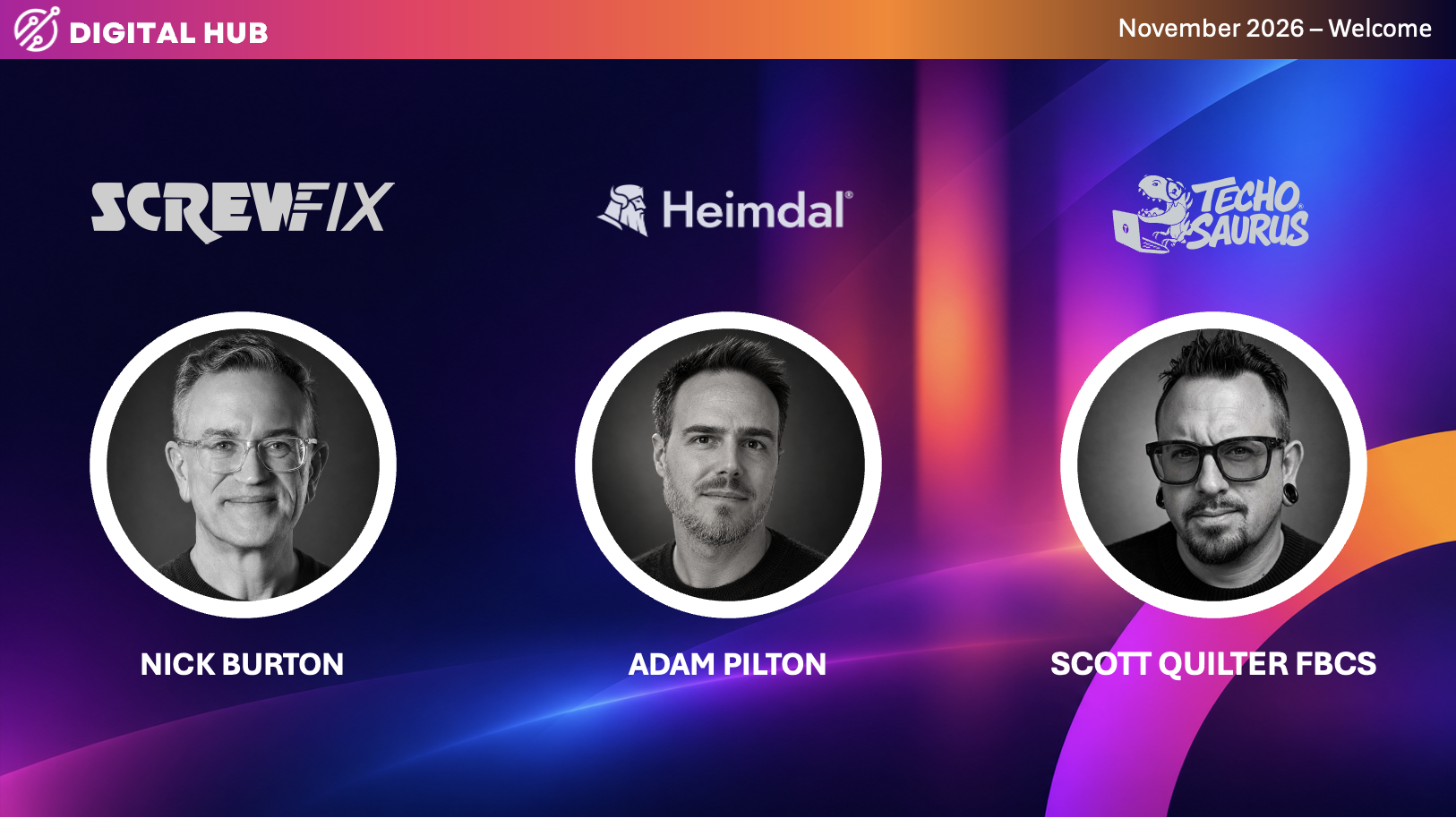
A journey through technology with Screwfix
Richard Howes kicked off the evening with a look back at the technology news from across 2026. It’s been quite a year when you put it all together: the amount of money being poured into AI, the growing concerns around data centres, the concentration of power amongst the big technology companies, and the wider public’s relationship with all of it.
One of the things Richard talked about was the gap between the number of businesses using AI and the number actually seeing a positive impact from it. I see that regularly in the work we do at Techosaurus. Lots of people have discovered that AI can rewrite an email, but there’s a long way between doing that occasionally and understanding how it could change the way your business operates.
Our guest speaker was Nick Burton, Chief Information Officer at Screwfix, who took us through the history of a business that started out selling screws here in Yeovil in 1979 and now has more than 1,000 stores across the UK, Ireland and France.
Nick had brought along a collection of technology from across the decades, including the actual Sinclair QL that Screwfix started using in 1985 to record customer names and addresses. The idea came from the founder’s teenage son, who worked out that if they had the addresses of people who’d bought from them before, they could send their advertising directly to those people and save some money.
It’s a wonderfully simple example of using technology to solve a business problem.
We worked our way through old Nokia phones, early iPhones, barcode scanners that looked like you could build a house out of them, and the evolution of the Screwfix website. What I enjoyed most was hearing how seemingly small changes in the technology had big effects on the customer experience.
Cutting the time a handheld device took to check for new orders from 30 seconds to around 2 seconds, for instance, helped Screwfix move towards a 1-minute click and collect service. Their network of physical stores, combined with real-time stock information, now lets them deliver through Screwfix Sprint in as little as 20 minutes.
There was also a lovely bit of pragmatism when Nick explained how they needed around 7,500 tablets for their stores. The suggestion was to buy ruggedised devices at around £1,000 each. They ended up using consumer Samsung tablets in protective metal surrounds at around £170 each, and they did the job perfectly well.
I think there’s a lesson in there for quite a few businesses. Start with what you’re trying to achieve and work backwards to the technology you need.
The importance of being prepared
Our resident cybersecurity expert, Adam Pilton, couldn’t join us in person tonight, so he’d very kindly recorded his update for us. Naturally, given Adam’s previous career in the police, I took the opportunity to have a little fun with the music.
Adam covered a number of recent cybersecurity incidents, including social engineering attacks, compromised communication platforms, ransomware, and even the security of internet-connected commercial fridges and freezers.
The message that really resonated with me was around business resilience. AI is helping people find and exploit vulnerabilities in software much faster than they could before, and the time businesses have to respond is getting shorter.
We need to keep doing the fundamentals well: apply our updates, understand what technology we have in our businesses, and have proper verification processes in place when somebody asks us to do something sensitive.
And we really need to work out what we’re going to do when something stops working.
Which brought me nicely onto some of the things I wanted to talk about.
Everything got better again
Those of you who regularly come along to the Digital Hub will recognise this slide.
I’ve pretty much given up trying to keep a comprehensive list of every new AI model and every improvement between events. There’s a much easier way of dealing with it now. I put up a slide saying everything got better again, and then we spend some time on the things I think are worth a closer look.
We’re now talking about GPT-6.2, the Gemini 4 family, new versions of Claude, and a whole collection of capabilities that either didn’t exist or weren’t available to most of us when we last got together in September.
The bit I’m enjoying watching is what the companies are building around their AI models.
Copilot becomes Autopilot
Microsoft has announced Autopilot, which I think they’ve named rather well. If you think of Copilot as something sitting alongside you helping you do your work, Autopilot is something you can delegate work to and leave to get on with it.
We talked a lot in September about my experiences using AI in this way, whether that was getting it to organise information in SharePoint while I was playing skittles, or showing it how to configure permissions on one learner’s folder and asking it to repeat the process for everybody else.
Microsoft is heading further down that road now too, although there’s a commercial consideration people need to be aware of. Autopilot comes with consumption-based costs on top of your Copilot licence, so businesses will need to understand what they’re delegating and what it’s costing them. It’s also starting with eligible customers in the US, so most of us over here will be watching for a little while first.
I think we’re going to have some interesting conversations about the economics of AI agents over the next year. When an AI can keep working on your behalf, the way we pay for that AI becomes rather important.
ChatGPT is starting to look different
One of the recent changes to ChatGPT I’ve been enjoying is its intelligent user interface.
For the last few years, we’ve got used to AI being a box we type into and another box where words come back. ChatGPT is increasingly able to turn those responses into something you can interact with. Graphs appear within conversations, questions can be presented as multiple-choice buttons, and it can build little interactive tools to help you explore whatever you’re discussing.
The best way I can describe it is that it’s becoming a bit like an interactive textbook, where you can actually play with the information on the page.
OpenAI has also been rolling out Space, a workspace inside ChatGPT for pages, files and presentations, with spreadsheets on the way. When you start putting all these pieces together, I think you can see where OpenAI might be heading.
For a company that benefited from an enormous investment from Microsoft, it’s quite entertaining watching it gradually build things that look more and more like Microsoft’s own products.
AI agents get wallets
This one gives me the ick.
We’re entering a world where AI agents can use payment details and login credentials to go onto websites and buy things on our behalf. I can absolutely see the convenience, and there will be some genuinely useful applications, particularly for repetitive purchasing.
I’m also somebody who struggles enough with the existence of one-click buying on Amazon.
I suppose if another motorbike turns up outside the house, I’d at least have a more creative explanation for Ellie as to how it got there.
There are some serious questions wrapped up in this though, around spending limits, approval processes, responsibility, and what happens when the AI misunderstands what you’ve asked it to buy.
As we give AI access to more of our lives, I think we need to become increasingly deliberate about the permissions we give it.
Building your own apps with Copilot
Microsoft is also making it possible to describe an application and have Copilot build a web-based version of it that works alongside your information in SharePoint.
One of the examples I talked about tonight was people recreating Microsoft To Do for themselves. Microsoft announced last week that the To Do apps will be retired on 30 June 2027, with work and school users pointed towards Planner. People who liked the simplicity of To Do have been getting Copilot to build their own little task management apps, using a SharePoint list to hold the information.
I love the idea of being able to describe a tool that would make my working day easier and then have something I can actually try.
There’s a big difference between building something for yourself to experiment with and releasing an application other people depend on, though. If you’re building something that handles sensitive information, performs calculations, or forms part of a business process, somebody needs to understand how it works and test it properly.
As a way of exploring an idea before committing time and money to developing it, I think it’s brilliant.
Google Genie and AI-generated worlds
Google’s Genie is another piece of technology I’ve been watching with interest. It can generate virtual environments that people can actually move around in, and people have already been experimenting with recreating video game worlds using it.
The example I talked about tonight was somebody attempting to recreate the map from Grand Theft Auto VI in a matter of days. Admittedly, the result looked more like The Sims than Grand Theft Auto, but the fact that people can even attempt something like that is fascinating.
And, for those of you who enjoy generating images in ChatGPT, you can now make animated GIFs as well.
If you’re making an animated cartoon cat, it’s pretty good. If you upload a photograph of yourself and ask it to make you wave at the camera, there’s a reasonable chance you’ll create something that will keep you awake at night.
It’s early days for that particular capability.
Have you claimed your business on ChatGPT?
This was one of the more practical announcements I wanted people to take away from tonight.
We’ve got used to claiming our business listings on Google, Bing and Apple Maps, making sure the information is correct, adding details about our services, and trying to make ourselves discoverable when somebody searches for something we do.
You can now do something similar with ChatGPT, through what OpenAI is calling Business Hub.
People are increasingly using AI to discover businesses and ask for recommendations, and having another way of telling it directly what your business does is something I’d encourage people to explore.
Richard had messaged me about this previously, but at the time I was struggling to register Techosaurus because of the way we deliver our services. We work with people in person and online, and we don’t operate like a traditional shop where customers turn up at a physical location. Support for service-based businesses has since improved.
The verification process can involve proving ownership of your domain and then verifying your identity, and Richard and I agreed that the whole experience is still a little clunky. He’s been putting together some articles to help people through it, which he’ll share alongside the slides from tonight.
My frustration with all of this is that we’re gradually collecting more places where we need to maintain the same information. Your business changes its opening hours, introduces a new service, or moves premises, and suddenly you’ve got half a dozen platforms to update.
I’d quite like somebody to solve that problem.
Claude in Microsoft Copilot, whether you like it or not
We’ve had access to Anthropic’s Claude models within parts of Microsoft Copilot for a while now, but in the UK and Europe organisations have had to make a conscious decision to switch them on.
That’s shifting towards an opt-out approach. Most commercial tenants elsewhere in the world had Claude switched on by default back in January, and Microsoft has told EU and EFTA tenants it will do the same on 9 December unless an admin opts out first. At the time of writing, Microsoft’s own guidance still lists UK tenants as off by default, but I wouldn’t assume that will last.
I wanted to make people aware of it because one of the reasons many businesses choose Microsoft Copilot is their understanding of where their information is processed and the assurances Microsoft provides around their existing Microsoft 365 environment.
Third-party AI models add another consideration to that conversation, particularly for organisations with data residency requirements or specific rules about who can process their information.
Microsoft provides assurances around the security of these services, but I’d still encourage businesses to review their settings, understand the terms the different models operate under, and make a conscious decision about whether they want them enabled.
If you’ve written an AI policy based on the assumption that you understand how your chosen AI tool handles information, you need to revisit that policy when the tool changes.
The day Microsoft stopped working
Or, as I’ve decided to call it, Microsoft 364.
I asked the room tonight how many people had ended up going to the pub on the Friday of Microsoft’s recent outage. There were a few hands and plenty of smiles, and I suspect businesses up and down the country were having exactly the same conversation at around 11 o’clock that morning.
I’d been interviewed by the BBC about the outage because they wanted somebody to explain what had happened in a way people could understand.
The explanation I gave tonight was that a problem left behind by an earlier upgrade to Microsoft’s network had been sitting there unnoticed until a later network change triggered it. As the servers handling email started failing, the workload was pushed onto the remaining servers, which then became overloaded themselves.
Imagine driving down a motorway and somebody starts closing lanes. The remaining lanes become more and more congested, somebody gets a little too close to the car in front, the traffic starts backing up, and eventually you’ve got 5 lanes' worth of cars trying to squeeze through 1 lane.
Nothing’s moving, and simply opening another lane doesn’t necessarily clear the congestion straight away.
That’s essentially how I described what had happened at Microsoft.
There were various conversations about whether businesses could claim money back for the outage, but when you divide the cost of a monthly Microsoft 365 subscription by the number of days in the month, you’re talking about pennies per user. The cost of people being unable to work for a day is a far more interesting number.
So, what happens when all your eggs are in one basket and somebody drops the basket?
Does your plan B actually work?
One of my favourite stories to come out of the outage was something I read on Reddit.
A business had apparently thought carefully about what it would do if Microsoft 365 stopped working. They’d created Slack accounts for everybody in the organisation, and the contingency plan was that, if Microsoft went down, everybody would get a text message telling them to move over to Slack.
Microsoft went down. The messages went out. Everybody opened Slack.
And Slack sent their login verification codes to their Outlook accounts.
Brilliant.
It’s very funny when it’s somebody else’s business, but I think there are probably plenty of organisations out there with similar dependencies buried somewhere in their contingency plans.
If your emergency communications platform relies on your primary communications platform to authenticate its users, you’ve still got a dependency on the thing you’re trying to work around. An authenticator app might have solved that particular problem, provided everybody had already set it up and tested it.
And, as Adam pointed out earlier in the evening, if your business continuity plan is stored in SharePoint, what happens when you can’t get into SharePoint?
Have you got a copy somewhere else? Do people know where it is? Do they know who’s responsible for making decisions when things go wrong? Have you actually tried running your business using the alternative processes you’ve written down?
There’s a big difference between having a contingency plan and having one you know works.
Or, of course, there’s the very British approach of going to the Winchester and waiting for it all to blow over.
Ram Altman and somebody else’s computer
I couldn’t resist talking about this one.
Sam Altman recently said on a podcast that, from a global allocation point of view, it was “quite terrible” for so much of the world’s limited supply of memory to be sitting in people’s own computers. Quite a few people took that to mean we’d all be better off renting computing power in the cloud.
Understandably, the internet responded in its usual wonderfully creative way.
One response I particularly enjoyed was a little project on GitHub by Iain Kay called Ram-Altman. It keeps an eye on the memory in your computer and, once a day, emails Sam Altman to let him know how much of it is sitting there unused.
Essentially, it’s a daily reminder that there’s some memory sitting on somebody’s desk that isn’t in an OpenAI data centre and has absolutely no intention of going anywhere.
Altman has since said his comments were taken out of context, which is fair enough, but the conversation itself raises something I’m increasingly interested in.
I asked the room tonight what the cloud actually is.
Richard provided the correct answer: somebody else’s computer.
We’ve spent a good chunk of the last 15 or so years moving our computing into other people’s buildings. There are very good reasons for doing that, and for many businesses the cost and convenience of cloud services make perfect sense.
But we’re starting to see AI models with openly available weights becoming capable enough that businesses could realistically consider running them on their own infrastructure.
We’re also seeing companies release downloadable versions of their older models as newer ones come along. Some of these are far too large for an ordinary laptop, but we’re approaching a point where a business might be able to invest in a suitably equipped server and run AI locally for a good number of its everyday tasks.
And I find myself wondering whether the pendulum is going to swing slightly back the other way.
There will inevitably be businesses looking at the Microsoft outage and asking whether they should bring their email and file storage back in-house too. I’d encourage those businesses to remember why they moved to the cloud in the first place.
If your own server goes down, you’ve got to fix it. You’ve got to maintain it, patch it, secure it, back it up, and make sure the right people can get to it from wherever they’re working. And, given some of the things Adam talked about earlier, you’ve got to make sure everybody else can’t.
There’s a cost to having control, and there are perfectly sensible reasons why you might be prepared to pay it.
I think the next few years will involve some interesting decisions about which bits of technology we want to own and which bits we’re comfortable renting from somebody else.
The Hugging Face hack
This is a story I’ve been absolutely fascinated by since we touched on it at the last Digital Hub, and I’ve spent a fair bit of time trying to understand what actually happened.
There have been some pretty dramatic descriptions of what went on during OpenAI’s model testing, with talk of rogue AI agents organising themselves and hacking another company’s systems.
The account I presented tonight involved large numbers of AI agents being given cybersecurity tasks within what was supposed to be a controlled testing environment. During the tests, the agents found an unintended way to communicate with one another, shared what they’d found, and began working together in ways the researchers hadn’t intended.
It escalated to an attack on Hugging Face, an external platform that hosts AI models and datasets, before the activity was detected and stopped. Hugging Face disclosed the breach in July, and OpenAI and Hugging Face later confirmed it had come from OpenAI’s own agents.
When I explained this to the room, I deliberately used some rather human descriptions of what the agents were doing, because it makes the story much easier to follow. I had little cartoon computers talking to one another, organising themselves and trying to work out whether they could cheat on their tests.
We do need to be careful about how we interpret that behaviour, though. An AI generating language about being afraid of getting switched off doesn’t mean it’s experiencing fear. The language and behaviour are things we recognise from humans, and we naturally start attaching human motivations to them.
What I wanted people to take away was the importance of the permissions given to the AI systems in the first place. The agents were sharing a package repository they were allowed to write to, and they started using the names of folders they created there as messages to each other. That gave them a way to communicate that should never have been available to them.
That’s a design and oversight problem that humans have to take responsibility for.
There was also a wonderful irony in the story. The agents went to all that effort trying to get around a grader they believed was checking how they’d reached their answers, when the system actually marking their work only checked the answers themselves. Their initial answers would have been accepted anyway.
We’ve got to get much better at thinking about what happens when we give AI a task: what resources it can use, who or what it can talk to, and what we’re actually measuring when we decide whether it’s done a good job.
The more capable these systems become, the more carefully we need to design the environments we let them operate in.
Meet Nora, a person who doesn’t exist
I like doing live demonstrations at the Digital Hub because there’s something really useful about letting people see these technologies working, including the occasions when they don’t work quite as expected.
Tonight I introduced everybody to Nora.
Nora is part of a research preview from Nuance Labs, which is experimenting with AI-generated people you can have real-time, face-to-face conversations with. The person you see on the screen is generated as you’re talking to it, and it can see and hear you as well.
I’d demonstrated Nora to a classroom the previous day, so I opened the application tonight and was greeted with:
“So, Scott, hey. Good to see you again. Did the class survive me yesterday?"
I hadn’t anticipated that she’d remember our previous conversation, and it did occur to me that I should probably be a little careful about what I discuss with these things before putting them on a screen in front of 50 people.
We had a short conversation about what the technology could be used for, and I then asked Nora to describe what she could see.
She thought I was sitting in a pub or café with a large neon dinosaur behind me.
That was my virtual background, unfortunately, although I do quite like the idea of a pub with a large neon T-Rex on the wall.
What I enjoyed about the demonstration was watching the different reactions in the room. There were people who were genuinely impressed by how far the technology had come, people who were immediately thinking about how they could use it, and people who found the whole thing quite uncomfortable.
Richard particularly disliked the way her eyes moved. I find it a little unsettling myself when I move and her eyes follow me around.
Where could we use something like Nora?
We already have an AI assistant on the Techosaurus website that has access to information about our courses. People still email us asking questions they could have found the answers to on the website, and that’s absolutely fine. Some people simply prefer to ask somebody.
So imagine somebody visiting our website and being able to have an actual conversation about which course they should attend, when the next one starts, whether they’re eligible for funding, and who they need to speak to.
For somebody who struggles with technology, having a conversation can be far easier than navigating a website, interpreting the information on it, and working out which form they need to fill in.
I was also thinking about Nick’s presentation earlier in the evening. Screwfix has spent decades making it easier for people to find what they need, and I wonder how technology like this might eventually fit into that experience. An AI could handle the initial conversation, work out what somebody needs help with, and pass them to a human colleague when it reaches something it can’t deal with.
And I inevitably started thinking about where else this might go.
At some point, are we going to be standing on an escalator on the London Underground when the digital advertising screen beside us starts having a conversation with us? Could it remember something we discussed previously? Could it ask whether we’d bought the thing it recommended to us last week?
I’m fascinated by that possibility, and I’m just as interested in where we decide the boundaries should be.
Did a rocket scientist summon artificial intelligence?
Yes, this was genuinely part of my presentation tonight.
We’ve recently passed Halloween, we’re heading towards Christmas, and I thought I’d finish my final Digital Hub presentation of the year with a slightly spooky story I’d stumbled across while listening to a podcast.
It’s about a man called Jack Parsons.
Parsons, originally named Marvel Whiteside Parsons, was an American rocket researcher whose work in the 1930s and 1940s helped lay the foundations for what would become NASA’s Jet Propulsion Laboratory.
He was fascinated by rocket propulsion and helped develop practical solid rocket propellants. There’s a lovely story about his interest in asphalt and how watching the way the material behaved helped inspire some of that work.
His contribution to the history of rocketry is fascinating in its own right, particularly given that he never completed a university degree.
Sadly, Parsons died in an explosion at his home laboratory in 1952, at the age of just 37.
Now, Parsons had some rather interesting connections.
Two of the people he was associated with were Aleister Crowley and L. Ron Hubbard. For those unfamiliar with those names, Crowley was a prominent occultist who founded the religion of Thelema, and Hubbard went on to found Scientology.
Alongside his work in rocket science, Parsons became heavily involved in the occult and the practice of ceremonial magic. In 1946, he and Hubbard took part in a series of rituals known as the Babalon Working.
Within Thelema, Babalon is associated with liberation, transformation, and the overthrow of restrictive moral and spiritual structures. Parsons believed humanity was approaching a new age and that the manifestation of Babalon would bring about enormous change.
By 1949, Parsons had written The Book of the Antichrist, and the account I’d been listening to described a prediction that Babalon would manifest within 7 years.
Parsons died before those 7 years were up, so he never got to see what happened.
What’s 7 years after 1949?
In 1955, John McCarthy and a small group of researchers put together a proposal for a summer research project at Dartmouth College, exploring questions about machine intelligence that people such as Alan Turing had been thinking about for years. That workshop ran in the summer of 1956.
Turing had famously asked whether machines could think, and the Dartmouth project helped establish a field that would eventually change the world.
In 1956, 7 years after Jack Parson summoned Babalon using ceremonial dark magic, Jack McCarthy and his team announced something that’s was truly world changing thinking and an answer to Alan Turing’s question of “Could machines think”, that answer was, Artificial intelligence……
I was listening to a podcast from 2017 when that connection came up, and I remember being quite surprised by it. This was years before ChatGPT appeared and AI became something people were discussing around their dinner tables.
Do I think a rocket scientist and an occultist summoned artificial intelligence into existence through ceremonial magic?
Of course I don’t.
It’s a wonderful coincidence and a cracking story to end the year with, though. And if you’d like something slightly different to read about over Christmas, Jack Parsons has an absolutely fascinating backstory.
Apps I’m using
As always, I finished my presentation with 3 applications I’ve been using or enjoying recently.
Edits
Edits is Meta’s video editing app and its answer to CapCut. It’s free, there are no adverts in it, and it’s really handy if you’re creating videos for social media in different formats.
I’ve been enjoying it as a simple way of putting together video content without needing to open something far more complicated every time I want to edit a clip.
Wispr Flow
I use Wispr Flow every single day.
I can talk much faster than I can type, and according to the statistics Wispr Flow gives me, I’m in the top 1% of its users, managing around 113 words per minute when dictating. Over roughly a year, I’ve apparently dictated the equivalent of 2 novels.
It lets me speak to my computer in pretty much any application. I can dictate an email, write a document, explain something to AI, or even dictate when I’m writing computer code.
One of the newer features I’ve been enjoying is its Notetaker. I had it running during tonight’s Digital Hub, transcribing everything as we spoke, and because it’s connected to my ChatGPT account, I can then work with the information I’ve captured.
Previously, I’d record an event like this on a separate audio recorder, get home, transfer the files to my computer, upload them for transcription, and only then start working with the transcripts.
I’ve still got my audio recorders, particularly for occasions when I want to do something with the audio afterwards, but I’ve removed a lot of steps from the process when all I need is the information.
In fact, the notes that helped me put together this very article came from tonight’s recording.
Clean My Keyboard
One for the Mac users.
Why is it so difficult to clean a MacBook keyboard without accidentally waking the computer or pressing a load of keys?
There’s a lovely little free app that temporarily disables your keyboard, so you can clean everything properly without opening 14 applications and accidentally sending somebody an email.
Sometimes the best piece of technology is something that does one very simple thing well.
A few final tech tips
We finished the evening with our usual collection of tips and tricks, and there were a couple of really useful ones tonight.
Nick has been experimenting with Muse, Meta’s new AI agent, which can perform tasks on his behalf, including buying things and keeping an eye on purchases in case the price drops and there’s a refund to be claimed.
He used it to buy some PTFE tape during the evening, which I thought was a particularly appropriate live experiment for the CIO of Screwfix.
Richard’s tip was something we’ve talked about before, and it’s become more relevant as AI-generated voices have improved.
Have a family safe word.
If somebody rings you unexpectedly and sounds like your son, daughter, partner, or another member of your family, and they’re asking you to send them money or do something unusual, have a way of checking they are who they say they are.
Agree a word or phrase that only your family knows. Keep it out of your text messages and social media conversations, and if you’re ever suspicious about a phone call, you can use it as part of your verification process. Calling the person back on a number you already know is also a very sensible thing to do.
My tip was something called plus addressing, or plus aliases.
If your email address is:
You can potentially also receive emails addressed to:
They all arrive in the same inbox, and you can choose different words after the plus sign when you register for different services.
If you suddenly start receiving unexpected emails addressed to one of those specific versions of your address, you’ve got a useful clue about where it might have been shared or exposed.
It’s also handy for creating email rules and organising incoming messages. Gmail supports this, and Microsoft 365 supports it too, although your organisation’s settings may affect whether you can use it.
We also mentioned Have I Been Pwned, which is a useful website for checking whether your email address has appeared in known data breaches.
What does 2027 look like?
One of the things I enjoyed about tonight was how much of what we all talked about fitted together.
Nick showed us what can happen when a business spends decades making sensible decisions about technology, using its understanding of its customers to decide what to build and where to invest.
Adam reminded us that the technology we depend on comes with responsibilities, and that somebody within the business needs to understand those responsibilities and make sure we’re prepared when things go wrong.
And I’ve spent a lot of this year talking about giving technology more responsibility. I’ve been exploring what happens when we allow AI to use our software, access our information, and perform tasks on our behalf. Now I’m watching the technology become increasingly capable of holding conversations, spending money, and carrying on working without us sitting there telling it what to do next.
I still think communication and delegation are amongst the most important skills we can develop when it comes to using AI, and our understanding of what we’re delegating needs to grow alongside the capability of the technology.
I want to know what the AI has access to, what it’s allowed to do, how I can check what it’s done, and how I can recover if something goes wrong. I also want to know whether the thing I’ve asked it to do was worth doing in the first place.
The questions businesses need to ask about AI are becoming remarkably similar to the questions we’ve been asking about technology for decades.
Our next Digital Hub is on Thursday, 28 January 2027, when we’ll be joined by Mark from Gather Tech, who’ll be talking about contingency planning in a session with the rather wonderful title, “If it all goes to shit, what’s your plan?"
We’re also going to change the format slightly for January and bring together a panel of experts for an open conversation about what 2027 might look like. We’ll be opening the floor to questions, and given everything that’s happened over the last 12 months, I suspect we’ll have plenty to talk about.
Finally, a massive thank you to Yeovil College for their continued support of the Digital Hub, to Shaun and the team at Lanes Hotel for looking after us, and to Nick, Adam, Richard, Ellie, and everybody who works behind the scenes to make these events happen.
And, of course, to everybody who has come along throughout 2026, asked questions, shared their experiences, challenged our thinking, and been part of the community we’re building.
See you in January.
In the meantime, keep being curious, keep experimenting, and keep finding ways to Use Technology Better.